One platform. Many private AI workers.
Each AI worker does one job inside your systems. It runs privately and is affordable to run. Most go live in 4 to 6 weeks on our AI Platform.
It starts with a short call with our AI experts.
In short
An AI worker is software that does one routine job, like checking warranty claims or matching payments. Here are all nine we have built, for teams in automotive, finance, construction and healthcare. Each one runs on your servers or in your region, and your team makes the final decision.
- Your servers or your region
- Works in your systems
- Most live in 4 to 6 weeks
- Your team decides
Fast to build. Private and affordable to run.
- 01
Private
Runs on your servers or in your region. Your data is never used to train models.
- 02
Fast to build
Most AI workers go live in 4 to 6 weeks, once your data foundation is in place.
- 03
Affordable to run
A fixed licence and small models. No bill for every question.
AI workers in production across 4 industries.
How we keep your data safeFind the work you want done.
Tap any AI worker to read its story.Pick a process or your role to see the AI worker for it. Or scan all nine below.
All nine, at a glance.
Built on the same core
More AI workers on our AI Platform
It checks the work. Your team decides.
Think of it as a second pair of eyes. Each AI worker does the routine checks and shows the proof. Unsure work goes to a person. The final decision stays with your team.
01
Goes throughEvery check passes and the proof is attached. The work moves on.
For examplePay, Release, Post, Approve
02
A person reviewsSomething is unclear. It goes to the right person, with the reason and the proof.
For exampleRefer, Review, Route
03
StoppedA check fails. It stops and shows why, so nothing wrong goes through.
For exampleReject, Hold, Stop duplicate
Your team makes the final decision.
Warranty Assist
Warranty and fraudCheck every warranty claim, with proof.
Every day, vehicle makers process thousands of warranty claims.
But unsupported payouts slip through, and evidence gets reused, altered or forged. Rules raise hundreds of alerts, most of them harmless, and the wrong claim can look completely normal.
Meet Warranty Assist.
Warranty Assist is an AI worker that checks warranty claims for reused photos, duplicate invoices and policy mismatches.
See it work
What it reads
What it reads: ShowHide
- Each claim, pulled from the system your team already uses
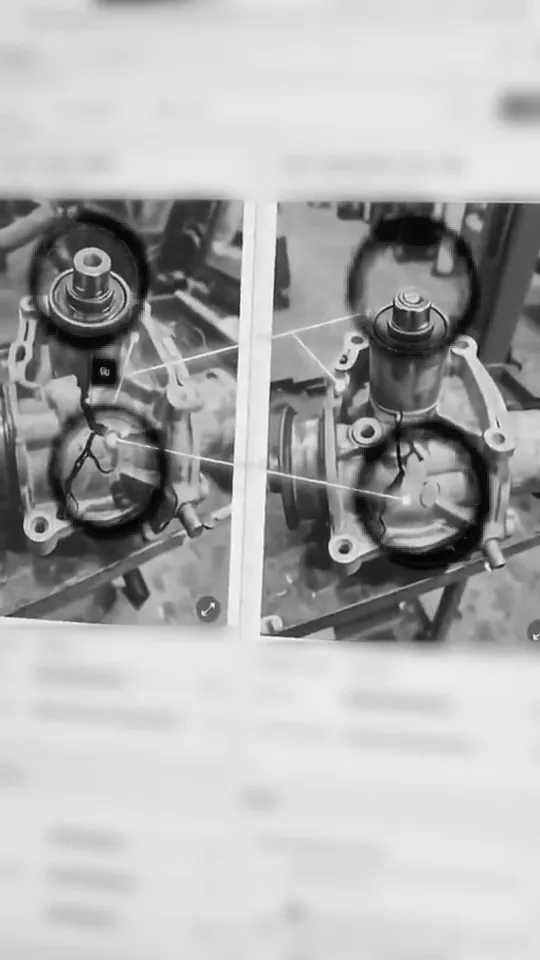
- Photographs of the parts
- Invoices
- Odometer readings
- Part numbers
- Service history
- Your warranty policy and rules
What it catches
What it catches: ShowHide
- Reused, modified or forged evidence, such as one photo across past claims and dealers
- Duplicate invoices and missing documents
- Suspicious claim patterns across your own claim history
- Repairs outside your warranty guidelines
- Then it puts the riskiest claims first
A typical day vs a better day
A typical day vs a better day: ShowHide
| The check | WithoutA typical day for the warranty manager | WithA better day, with Warranty Assist. |
|---|---|---|
| Missing documents? | Another follow-up. | Flagged before review. |
| Reused photos? | Hard to spot across claims. | Matched across past claims. |
| Duplicate invoices? | Checked one by one. | Flagged for review. |
| Policy mismatches? | Rules checked manually. | Checked against your rules. |
| Suspicious repeats? | History spread across files. | Linked across claim history. |
| The final decision? | Always with your team. | Always with your team. |
Claims piling up. More manual work. More pressure. Did I check everything? | Less manual checking. Better decisions. Every flag comes with its proof. |
Fits your systems
It works with SAP and Salesforce, so your workflows stay exactly as they are. No new tool for your warranty team.
Traceable evidence
Traceable evidence: ShowHide
Every finding comes with traceable evidence: the suspicious item, the matching earlier claim and why it was flagged.
- Pay
- Refer
- Reject
Your experts make the final decision. They spend their time on the highest-risk claims, not on checking files one by one.
The result
Up to 3%
of warranty payout saved
Fewer unsupported payouts. Faster, more confident decisions.
Warranty Assist. Find the evidence. Make better decisions.
One example
One photo, four claims, two dealers.
Checked one at a time, nothing looks wrong. Checked against every past claim, the pattern shows.
01The problem
Each claim looks normal on its own.
Reviewers check one claim at a time. Four claims from two dealers. Each one passes.
02What the AI found
The same photo in four claims.
Warranty Assist checks every photo against past claims. It finds one part photo used four times, through two dealers.
03The result
Your team reviews it, with the proof.
The new claim goes to your team, with the three earlier claims attached. Your team makes the final decision.
ReliabilityAtlas
Vehicle reliabilityRead every defect report in about a minute.
Every day, vehicle makers receive thousands of defect reports.
But the answers are buried in complaints, diagnostic codes, repair notes and failure images. Reading one report takes 20 to 30 minutes, and one dealer's lessons rarely reach the rest.
Meet ReliabilityAtlas.
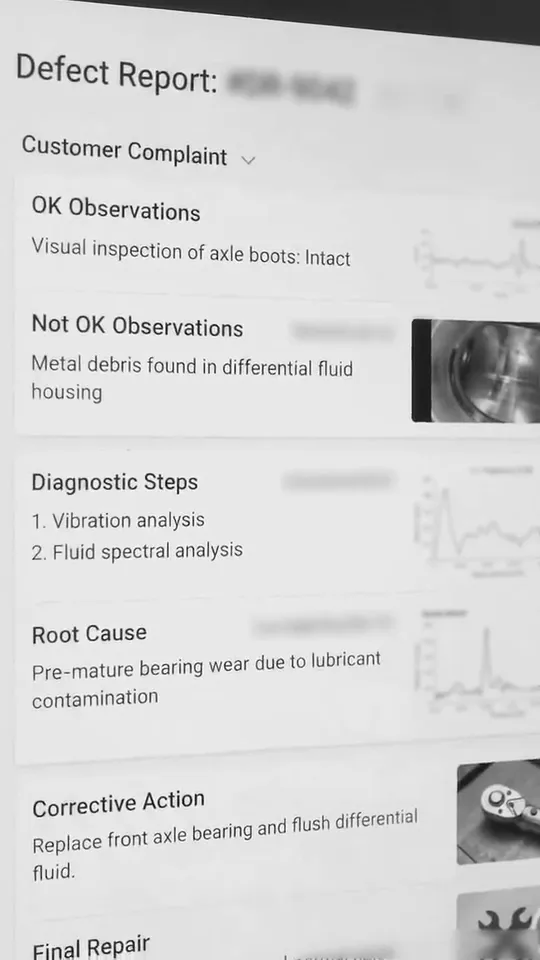
ReliabilityAtlas is an AI worker that reads defect reports and links each case to years of past reports.
See it work
What it reads
What it reads: ShowHide
- The defect and field reports your dealers already write, in Excel, PDF, PowerPoint and Word
- The customer's complaint
- The dealer's checks, OK and Not OK
- Diagnostic codes and sensor data
- Parts, repair notes and service history
- Failure images, before and after the fix
What it does
What it does: ShowHide
- Turns each report into one clean, searchable summary: complaint, checks, root cause and fix
- Links each case to years of past reports, across vehicles and dealers
- Helps technicians diagnose faster: they ask Fix Advisor what to check first
- Lets your safety, reliability, R&D and recall teams ask: Which failures keep recurring? What is the likely root cause? Is this an emerging safety issue?
- Traces an issue back to the supplier, supporting recovery
A recurring stuck exhaust-brake flap. Proven fix: replace the valve. Failed fix: clean it, and it comes back.
Fits your systems
It works on top of the defect reports OEMs already collect. No new forms, so your workflows stay as they are.
Traceable evidence
Traceable evidence: ShowHide
Every answer links back to its source report and image, so teams can trust it and act earlier.
- Resolve
- Investigate
- Escalate
Your engineers make the final decision.
The result
about 1 minute
to read a defect report, not 20 to 30 minutes
60%
less effort on D1 and D2, the first two steps of a defect investigation
99%
extraction confidence across the files processed
12 years
of reports, answerable in minutes
Recurring failures and emerging trends surface before they grow into recalls.
ReliabilityAtlas. Understand the problem. Make better decisions.
One example
Step through one defect report.
The film moves fast. Pick a step to read the summary it writes, at your own pace.


Voucher Matching
ERP document reconciliationSix documents in. One clean payment out.
Every day, finance teams check payment vouchers against the papers behind them.
Each payment needs six documents to agree. Checked by hand, one voucher can take about 2 hours.
Meet Voucher Matching.
Voucher Matching is an AI worker that checks amounts, tax and references across a payment voucher and its papers.

What it reads
What it reads: ShowHide
- The payment voucher
- The purchase order
- The delivery note
- The invoice
- Customs papers
- The approvals
What it does
What it does: ShowHide
- Reads all six, even scans
- Runs fixed checks on amounts, tax and references across every document
- Shows the page and line behind each check
- Explains each mismatch and sends it to finance for review
- Suggests Release, Review or Hold for each payment, with the page and line
Fits your systems
It works with your ERP and your approval path, so your workflows stay as they are.
Traceable evidence
Traceable evidence: ShowHide
Every decision is recorded and can be replayed.
- Release
- Review
- Hold
Finance reviews every exception and makes the final decision.
The result
from 2 hours to 5 minutes
per voucher
about 10
full-time roles of manual matching freed every day
Runs at: a large business group in the UAE
Voucher Matching. Match every document. Make better decisions.
DentalOS
Dental front deskOne system for the whole dental visit.
Every day, dental practices juggle calls, check-ins, notes and insurance forms.
Each job sits in a separate tool. Patients wait on hold or hang up, and staff time goes to forms instead of patients.
Meet DentalOS.
DentalOS is one AI system for the dental practice: it answers calls, fills forms and writes visit notes.

What it reads
What it reads: ShowHide
- Calls and WhatsApp messages
- Your practice system and calendar
- The patient's record and history
- The conversation in the visit
What it does
What it does: ShowHide
- Front desk: answers calls and messages, and books visits in your practice system
- Check-in: fills insurance forms from the patient's record
- Doctor assist: shows the patient's history, with what matters highlighted
- Scribe: listens to the visit and writes the notes, with no typing
- Follow-up: sends reminders after the visit
Fits your systems
It works inside your practice system and patient records, so your workflows stay as they are.
Traceable evidence
Traceable evidence: ShowHide
Every step is logged, so you can trace what was done.
- Complete
- Route
- Escalate
Unusual requests go to your staff, and the doctor approves every note.
What we built
4
modules in production: front desk, doctor assist, scribe, and insurance and records
Built with a dental care company in the US. Sold per clinic location.
Staff time goes back to patients.
DentalOS. Run the whole visit. Make better decisions.
Built on our AI Platform
These four start from the same AI Platform core. Only your part is new.
Your version runs on your servers or in your region. Most AI workers go live in 4 to 6 weeks, once your data foundation is in place. They are affordable to run.
Five more AI workers on the same core.
Open a row to read its story: what it reads, what it does and who decides.
Every day, invoices arrive by email, shared drive and ERP inbox. They come in every format. Each one is typed into the ERP by hand, and the same invoice can be paid twice.
Meet Invoice Intelligence. Invoice Intelligence is an AI worker that reads invoices in any format and posts the clean ones to your ERP.
What it reads
- Each invoice, from email, a shared drive or your ERP inbox
- Handwritten or digital, every line
- The matching purchase order
- Your tolerance rules
What it does
- Pulls out every line
- Matches the invoice to its purchase order and checks your tolerance rules
- Catches an invoice that was already paid, so it is not paid twice
- Posts clean invoices to your ERP and sends the rest to a person
Clean invoices post straight to your ERP, so your workflows stay as they are.
The source document is attached to every entry, so each one can be traced. Anything unclear goes to your team, who make the final decision.
Less typing, and duplicates caught before they are paid.
Every day, bid teams work through tender packs thousands of pages long. Comparing every line with your own rates by hand slows each bid.
Meet BOQ Intelligence. BOQ Intelligence is an AI worker that reads tender packs and compares every line with your own past rates.
What it reads
- The whole tender pack, even scanned pages
- Every line of the bill of quantities, the priced list of work
- Your own past rates
What it does
- Puts units and wording into one format
- Compares each line with your past rates
- Lists the risky lines, each with its page
It works from the tender packs you already receive and your past rates, so your workflows stay as they are.
Every risky line comes with its page. Your estimators make the final decision.
Risky lines listed, each with its page, before you price the bid.
Every day, doctors type notes and codes after each visit. That time comes after the visit, and it is time away from patients.
Meet Clinical Scribe. Clinical Scribe is an AI worker that listens to the visit and writes the note and codes for the doctor.
What it reads
- The consultation, as it happens
- What the patient said and what the doctor found
What it does
- Writes a structured note: what the patient said, what the doctor found, the assessment and the plan
- Suggests codes from ICD-10, the standard list of diagnosis codes
- Ties each part of the note to what was said
It files the approved note in your records, so your workflows stay as they are.
Each part of the note is tied to what was said, so the doctor can trace it. Nothing is filed until the doctor approves.
No typing after the visit. The doctor still approves every note.
Every day, patients call and message the front desk to book visits. When the front desk is busy, patients wait on hold or hang up.
Meet Patient Front Desk. Patient Front Desk is an AI worker that answers patient calls and messages and books visits.
What it reads
- Each call or message, in the patient's language
- Your calendar, in real time
- Your clinic systems
What it does
- Answers each call or message in the patient's language
- Books the visit inside your clinic systems and sends a reminder
- Sends anything unusual to your staff, with the conversation attached
It books inside your clinic systems, so your workflows stay as they are.
The conversation goes with every request it hands over, so your staff see exactly what was said. Your staff make the final decision on anything unusual.
Fewer patients left on hold.
Every day, technicians run engine checks in service workshops. Each check relies on memory: what to check next, and how to write it all up at the end.
Meet Vehicle Diagnostics. Vehicle Diagnostics is an AI worker that guides technicians through engine checks and writes the report.
What it reads
- Your engine check plan, set out in 7 check groups
- The 40 to 45 line items in that plan
- What the technician marks at each item
What it does
- Guides the technician through every item, one at a time
- Writes the report automatically, with proof
It guides the checks your technicians already run, so your workflows stay as they are.
The report is written with its proof, so your experts can check what was found. The technician marks every item, and your experts make the final decision.
A report written automatically, with proof, at the end of the check. Nothing to write up by hand.
Questions buyers ask first.
Short answers. Our AI experts take the rest on the first call.
What is an AI worker?
Software that does one routine job, like checking warranty claims or matching invoices. It reads your documents, runs the checks and shows the proof. Your team makes the final decision.
Which AI worker should we start with?
The process that costs your team the most time. In a 2-week AI assessment, our AI experts find it and tell you what it is worth.
How long until it goes live?
Most AI workers go live in 4 to 6 weeks, once your data foundation is in place.
Do we have to change our systems?
No. The AI worker works inside the systems you already use, such as SAP, Salesforce or your ERP. Your workflows stay as they are.
Where does our data stay?
On your servers or in your region. It is encrypted in transit and at rest, and never used to train models.
Can you build one for our process?
Yes. Most new AI workers start from the same core, so only your part is new. Tell us the work that takes too long.
Pick one process. We start there.
Book a 2-week AI assessment. On Day 10 you know which AI worker to build first, and what it is worth.
It starts with a short call with our AI experts.